Before deleting a geometric entity user must be aware of the hierarchy of solid model and finite element model entities. A lower order entity cannot be deleted if it is attached to a higher-order entity. Thus, a point cannot be deleted if it is attached to a line, an area cannot be deleted if it has been meshed or belongs to a structural element, a volume was involved in a boolean operation and so forth.
Geometric attributes
Once the geometric entity is created geometric attributes are generated as well. These attributes depend on each entity:
Bounding box X-axis
It refers to the X-axis coordinate pair of a projected box with the smallest measure (area, volume) within which all the points lie.
Bounding box Y-axis
It refers to the Y-axis coordinate pair of a projected box with the smallest measure (area, volume) within which all the points lie.
Bounding box Z-axis
It refers to the Z-axis coordinate pair of a projected box with the smallest measure (area, volume) within which all the points lie.
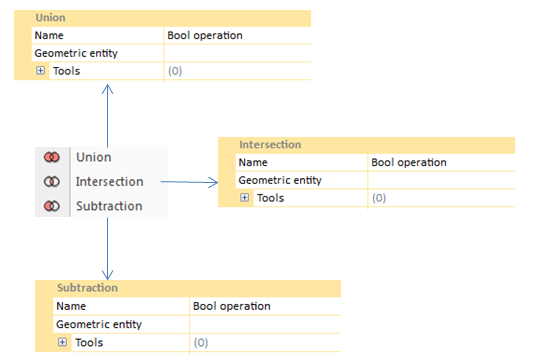
Boolean operation that adds separate entities to create a single one.
Intersection
Boolean operation creates a new entity with the vertices/surfaces/volumes shared by the selected entities.
Substraction
Boolean operation generates a new entity by subtracting the regions shared among them. Two entities are needed: the entity to subtract (tool) and the entity to be subtracted from (geometric entity).