To properly display this page you need a browser with JavaScript support.
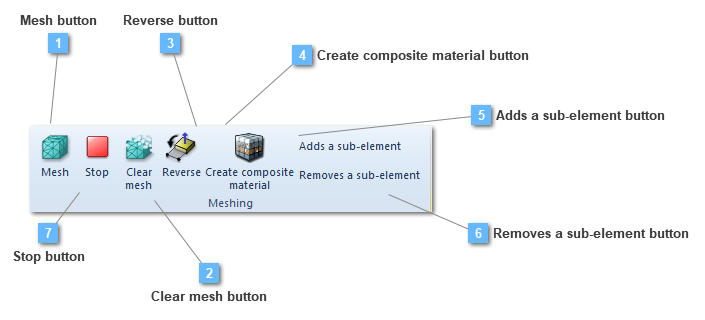
Mesh button
Mesh the selected structural elements
This mesh type option only execute the mesh in the selected structural element or elements.
Clear mesh button
Clear the mesh from the selected structural elements
This clear mesh option only clear the mesh in the selected structural element or elements.
Reverse button
Reverse the local axis orientation
Create composite material button
Creates a composite material based on the concrete and bending reinforcement definition. The composite material can later be assigned to a shell in order to model the complete behavior of concrete plus bending reinforcement
Adds a sub-element button
Creates a sub-element in this structural element in order to modify properties of a set of mesh elements
Removes a sub-element button
Removes a sub-element of this structural element. Deletes a sub-element created previously
Stop button
Stop meshing process.