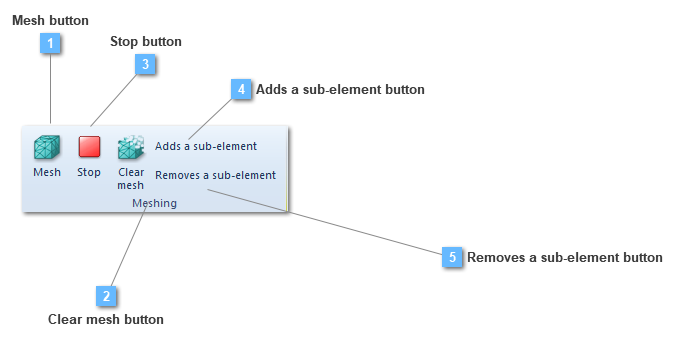
Mesh button
Mesh the selected structural elements
This mesh type option only execute the mesh in the selected structural element or elements.
|
|
 Clear mesh button
Clear the mesh from the selected structural elements
This clear mesh option only clear the mesh in the selected structural element or elements.
|
|
 Stop button
Stop meshing process
|
|
 Adds a sub-element button
Creates a sub-element in this structural element in order to modify properties of a set of mesh elements
|
|
 Removes a sub-element button
Removes a sub-element of this structural element. Deletes a sub-element created previously
|
|