Configure button
Configure the solving options
Besides choosing the solver algorithm, more parameters are taken into consideration for governing convergence and accuracy for a nonlinear analysis. For a linear static analysis these solution controls are not needed and the user can leave the default values for the solving process.
In addition, it should be noted that global solution controls have priority in dealing with load case solution controls.
Static analysis, with the following solving options:
Type of solver: direct solver algorithm is used for solving.
Large Deflections: geometric non-linearity is included in the analysis.
Improved bending: when using quads and hexahedral linear elements this option avoids shear locking in bending problems.
Initial step fraction: initial time step as a fraction of the step period. See more information below.
Minimum step fraction: minimum time step as a fraction of the step period. See more information below.
Maximum step fraction: maximum time step as a fraction of the step period. See more information below.
Total Increments: maximum number of increments in the analysis.
Minimum iterations: minimum number of iterations.
Maximum iterations: maximum number of iterations.
Check u convergence: check for convergence in displacements.
Check θ convergence: check for convergence in rotations.
Check F convergence: check for convergence in forces.
Check M convergence: check for convergence in moments.
Tolerance u: relative tolerance for convergence in displacements.
Tolerance θ: relative tolerance for convergence in rotations.
Tolerance F: relative tolerance for convergence in forces.
Tolerance M: relative tolerance for convergence in moments.
Contact method: select the contact algorithm to use.
Absolute stress: absolute stress separation criterion.
Initial contact detection: initial contact detection activated.
Slip threshold: relative sliding displacement. Below this value the contacting element remains joined.
Friction force tolerance: tolerance to check convergence of the friction forces.
Create modal results: intermediate modal analysis results are kept when a spectral analysis is performed.
Create increment results: intermediate non-linear analysis results are kept for all load increments.
Control application: load application type in load case.
Penalty method: apply boundary conditions using the penalty method.
Behaviour of construction process: check the box to allow free motion of deactivated elements. If it is not checked, elements will be activated on its original position.
Arc-Length: Activates the arc-length method which is another way to solve unstable problems. The arc-length method causes the Newton-Raphson equilibrium iterations to converge along an arc, thereby often preventing divergence, even when the slope of the load vs. deflection curve becomes zero or negative. The parameters to be taken into account are:
- Alpha Coefficient: Initial coefficient that multiplies the the total load increment in order to find out the initial arc-length.
- Maximum fraction: Maximum fraction of the total load that can be applied in an increment.
- Maximum ratio: Maximum of the square of the ratio between the current arc-length increment and the initial one.
- Minimal ratio: Minimum of the square of the ratio between the current arc-length increment and the initial one.
Non positive definite matrix: solve a model with a non-positive definite coefficient matrix.
There are five different analysis types: static, transient, modal, harmonic and buckling; global solution controls are similar between them, but not completely equal.
Particular global solution controls related to the different analysis will be defined as well.
Particular transient analysis global solution controls:
Integration method: transient integration method. This option activates different integration parameters depending on the selected method.
Max. Increments: maximum number of increments.
Store rcf by: select the method to control the number of results files that will be created.
Increment frequency: number of increments between writes to the result file.
Particular modal analysis global solution controls:
Mode extraction: define how extraction of modes is carried out.
Max. Increments: maximum number of increments.
Minimum frequency: minimum frequency considered for mode extraction.
Number of modes: number of modes to extract.
Particular harmonic analysis global solution controls:
Type of the increments in frequency: choose between linear or logarithmic increments.
Lowest frequency: lowest frequency in cycles per time unit.
Highest frequency: highest frequency in cycles per time unit.
Number of frequencies: parts in which the interval between the lowest and the highest frequency is divided.
Penalty factor multiplier: multiplier used to calculate the penalty factor.
Particular thermal (thermal/structural coupled) analysis global solution controls:
Analysis class: it is only available in a thermal analysis, allowing the user to solve the model either in an structural or in a thermal analysis, even a coupled one.
Tolerance ΔT: maximum error in temperature estimated to check convergence.
Fixed time step (For transient analysis only): CivilFEM will use the "init. steo fraction" as the fixed time step for the analysis.
Time step control by ΔT (For transient analysis only): Maximum incremental temperature change. Used to control automatic time step scheme for a transient analsyis.
Particular seepage (seepage/structural coupled) analysis global solution controls:
Analysis class: it is only available in a seepage analysis, allowing the user to solve the model either in an structural or in a seepage analysis, even a coupled one.
Fixed time step (For transient analysis only): CivilFEM will use the "init. steo fraction" as the fixed time step for the analysis.
Time step control by Δm (For transient analysis only): Maximum incremental total head change. Used to control automatic time step scheme for a transient analsyis.
Particular bucking analysis global solution controls:
Number of modes: number of modes to extract.
For 2D case there is an additional solution control:
Beam Type: defines whether the beam element is 2D or 3D with 3D degrees of freedom constrained.
Model view will be updated accordingly:
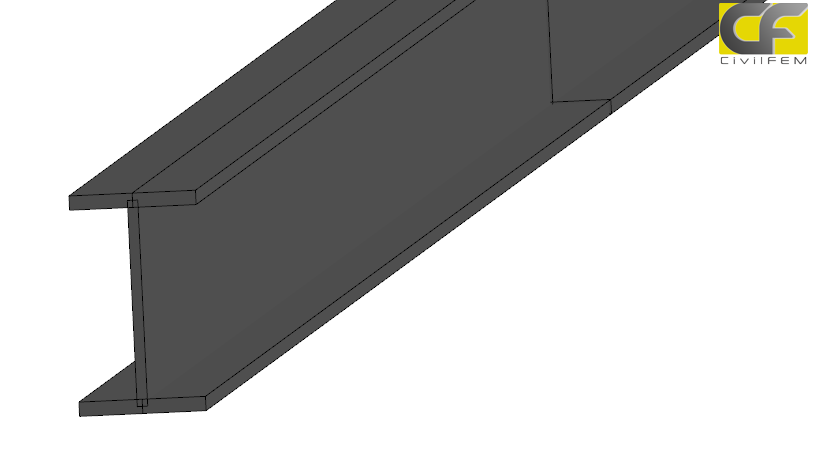
- 3D case
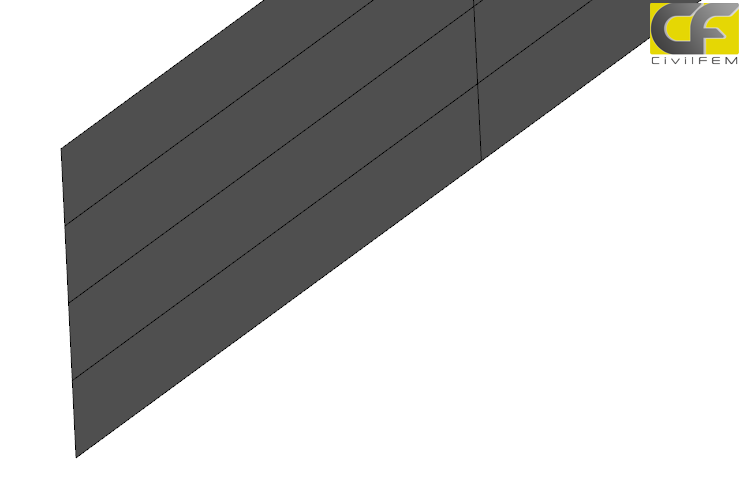
- 2D case
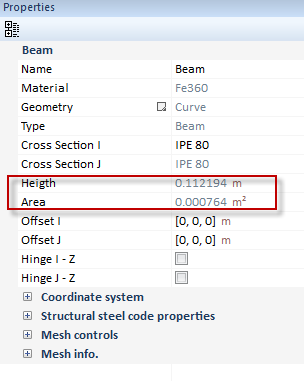
 For this case, the properties of beam structural element adds a new value: Height, an equivalent height for same area (for 3D case): For this case, the properties of beam structural element adds a new value: Height, an equivalent height for same area (for 3D case):
|